

Managing your apps well is crucial for productive AI development. Dify provides comprehensive tools to organize, share, and maintain your applications throughout their lifecycle.
App Organization#
Update names, descriptions, icons, and branding for better organization
Create variations or use existing apps as templates for new projects
Share apps between workspaces using Dify’s DSL format
Safely delete apps when no longer needed
Edit Application Information#
Keep your apps organized with clear, descriptive information:
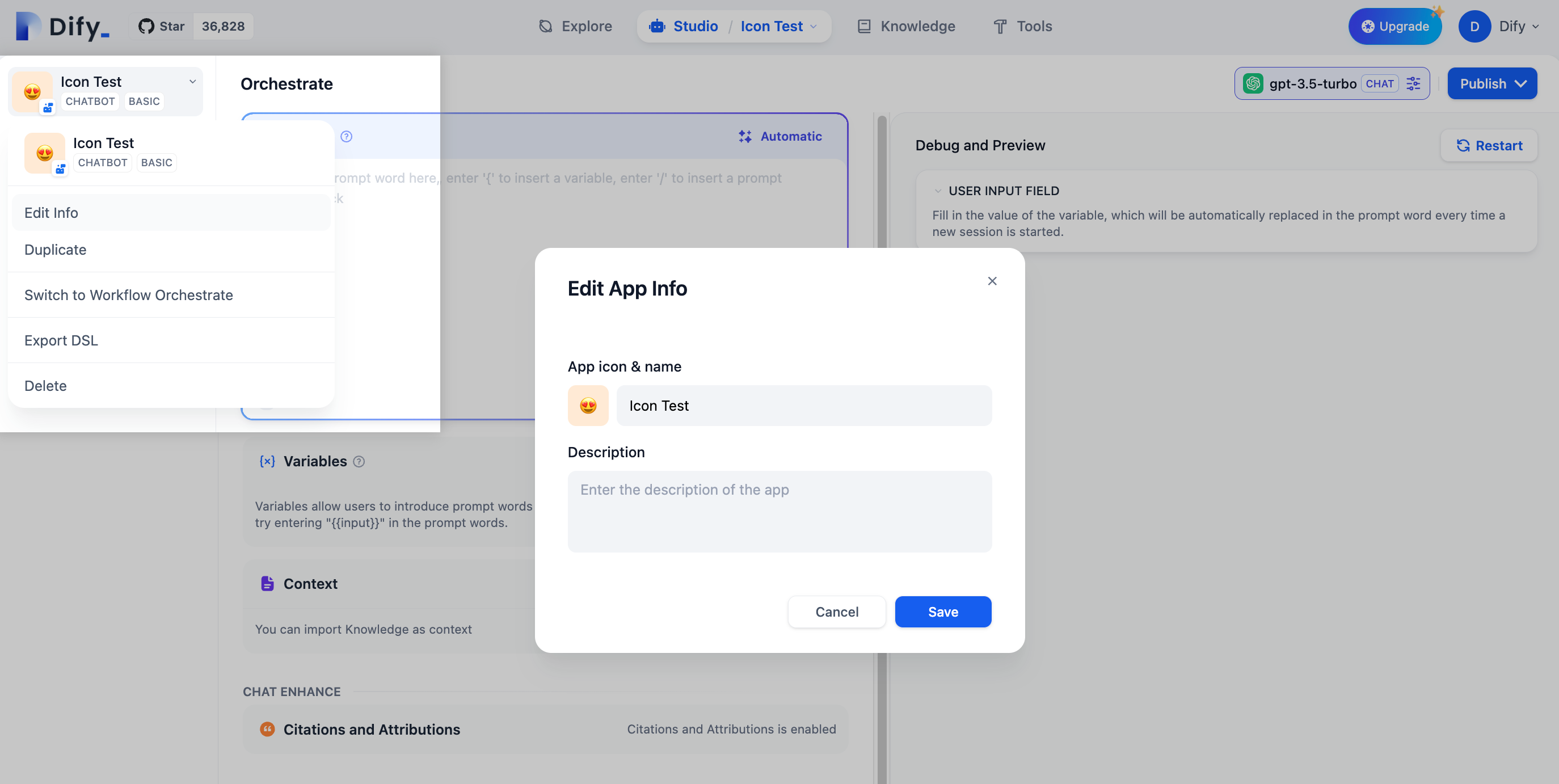
Access app settings
Click “Edit info” in the upper left corner of your application.
Update details
Modify the icon, name, or description to better reflect the app’s purpose.
Consider your team
Use names and descriptions that help team members understand what the app does.
Use consistent naming conventions across your workspace. Consider prefixes like “Draft-”, “Test-”, or “Prod-” to indicate app status.
Create App Variations#
Duplication is perfect for creating variations or starting new projects from existing work:
When to duplicate:
- Creating A/B test versions with different prompts or models
- Adapting an app for different audiences or use cases
- Starting a new project based on successful patterns
- Creating backups before major changes
How duplication works:
- All configuration, prompts, and workflows are copied
- The new app gets a default name you can customize
- Original app remains unchanged
- Both apps run independently
App Export and Import#
Dify’s DSL (Domain Specific Language) format lets you share apps between workspaces and teams:
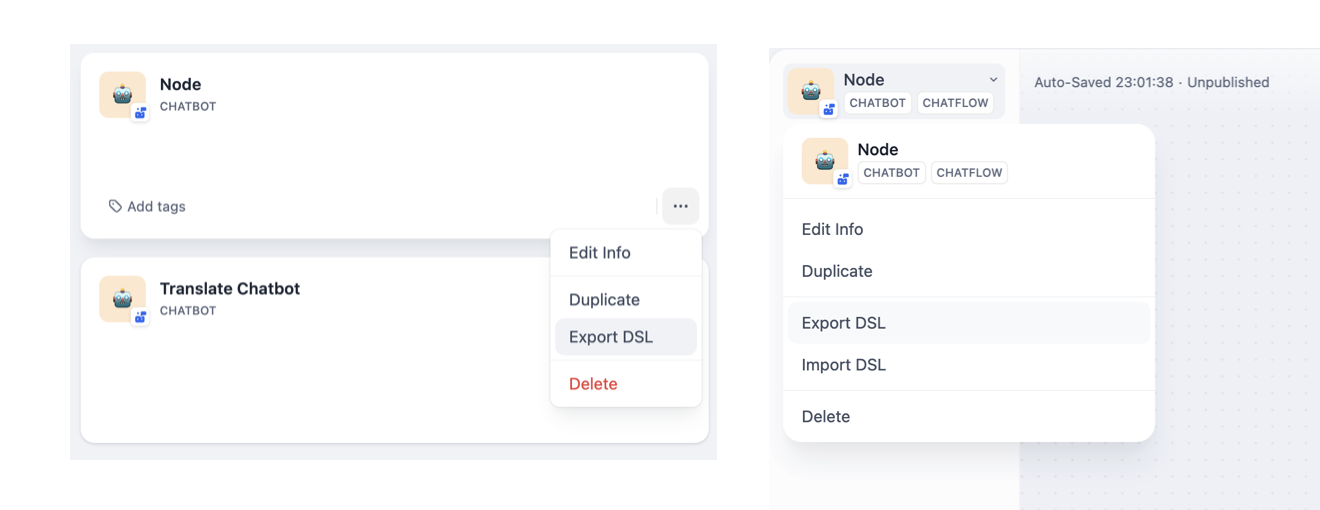
Export Applications#
Two ways to export:
- From Studio page - Click “Export DSL” in the application menu
- From orchestration - Click “Export DSL” in the upper left corner
What gets exported:
- App configuration and metadata
- Workflow orchestration and node settings
- Model parameters and prompt templates
- Knowledge base connections (not the data itself)
What doesn’t get exported:
- API keys for third-party tools (security measure)
- Actual knowledge base content
- Usage logs and analytics data
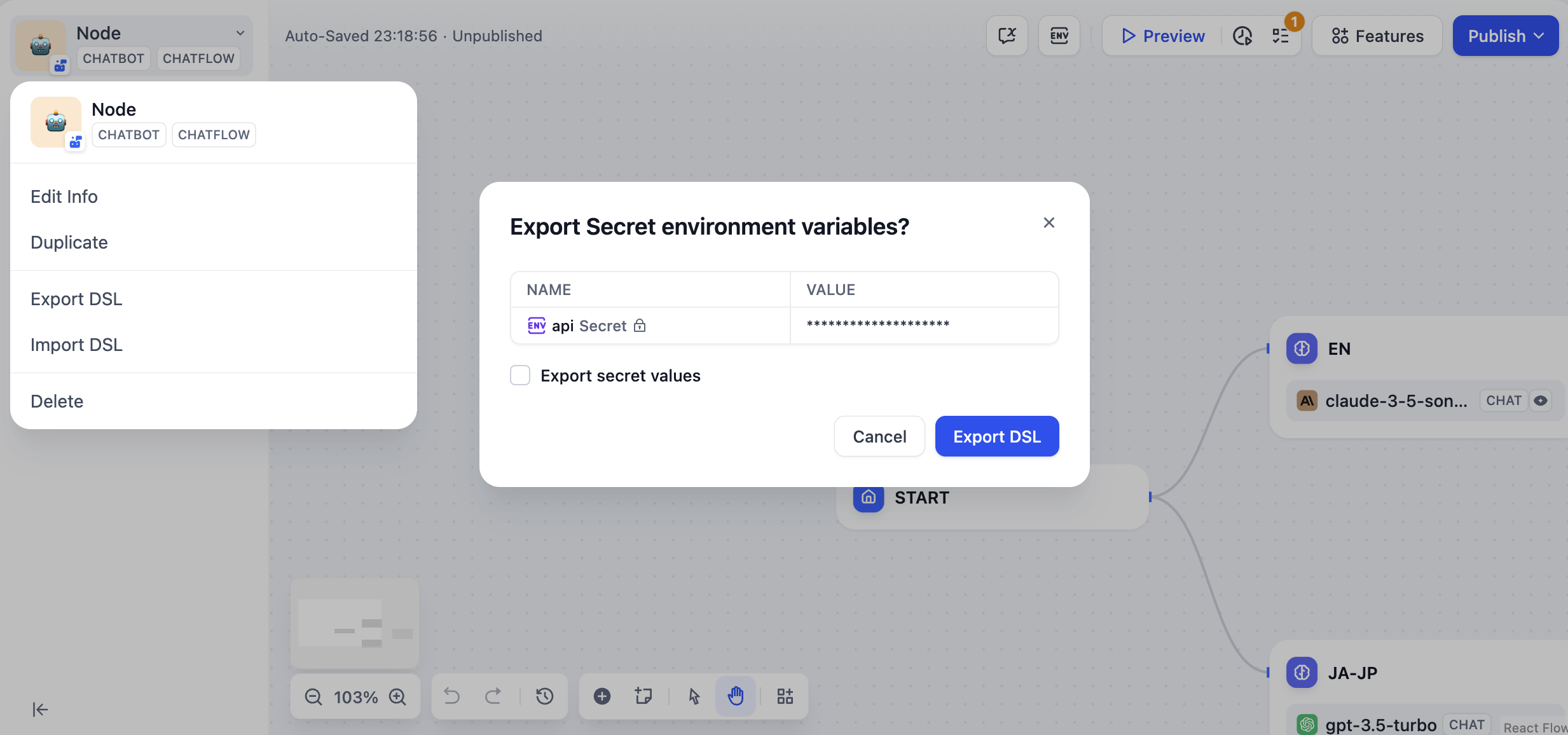
If your app uses Secret-type environment variables, you’ll be asked whether to include them in the export. Be careful with sensitive information.
Import Applications#
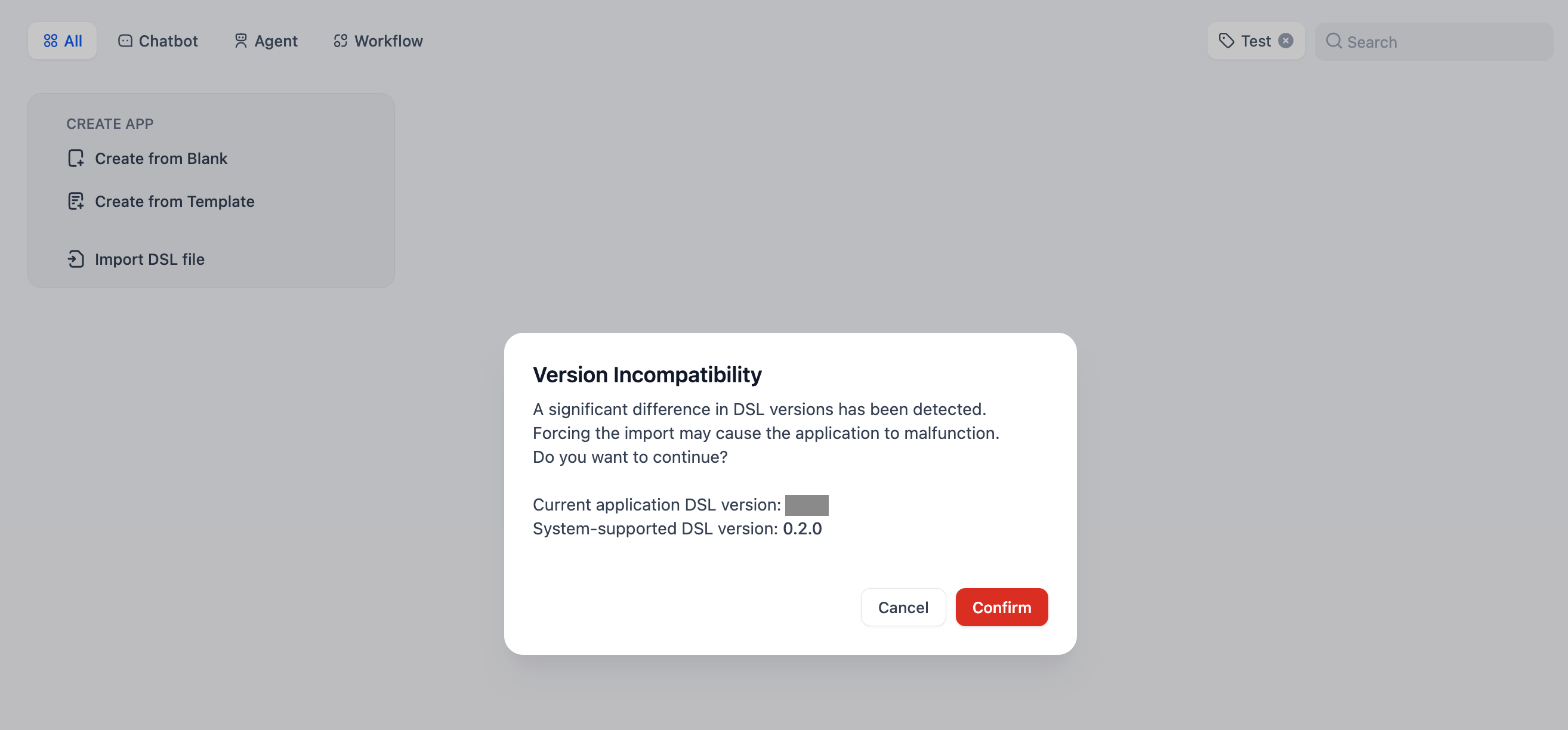
Import process:
- Upload your DSL file (YAML format)
- System checks version compatibility
- Warning appears if DSL version is older than current platform
- App is created with all configurations from the file
Version compatibility: Importing a DSL file created on a newer Dify version may require upgrading first.
Dify DSL is the AI application engineering standard (v0.6+) that captures complete app configurations in YAML format.
Safe App Deletion#
Before deleting apps, understand the impact:
What gets deleted:
- All app configurations and prompts
- Workflow orchestration and settings
- Usage logs and analytics
- Published web apps and API access
- All user conversations and data
Impact on users:
- Published web apps stop working immediately
- API calls start returning errors
- All existing user sessions are terminated
Consider alternatives
Could you duplicate the app for backup, or just unpublish instead of deleting?
Notify stakeholders
Let team members and users know about planned deletions.
Export if needed
Create DSL backups of valuable configurations before deletion.
Confirm deletion
Click “Delete” and confirm—this action cannot be undone.
App deletion is permanent and cannot be undone. All associated data, logs, and user access will be lost immediately.