

The List Operator node processes arrays by filtering, sorting, and selecting specific elements. Use it when you need to work with mixed file uploads, large datasets, or any array data that requires separation or organization before downstream processing.
Supported input data types include array[string], array[number], array[file], and array[boolean].
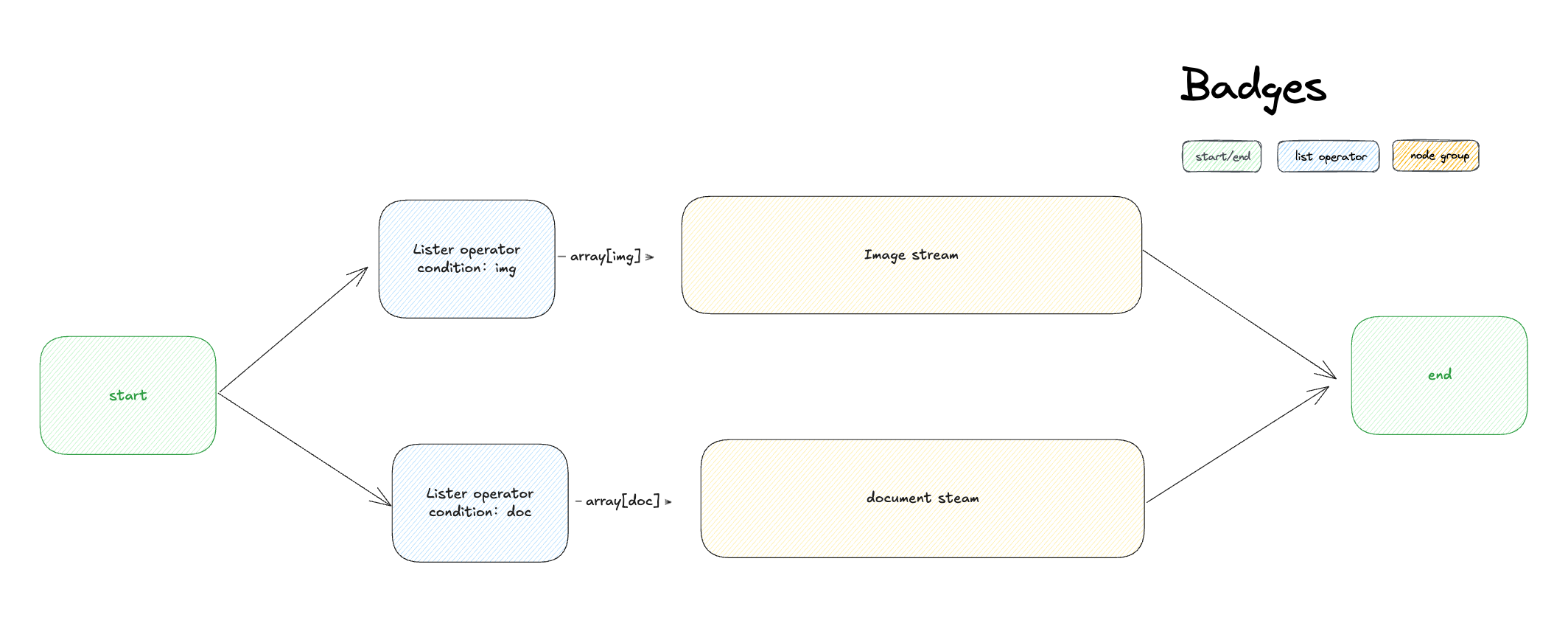
The Array Processing Problem#
Most workflow nodes expect single values, not arrays. When you have mixed content like [image.png, document.pdf, audio.mp3] in one variable, you need to separate this into focused streams that downstream nodes can process effectively.
The List Operator acts as an intelligent router, using filters to separate mixed arrays and prepare them for specialized processing.
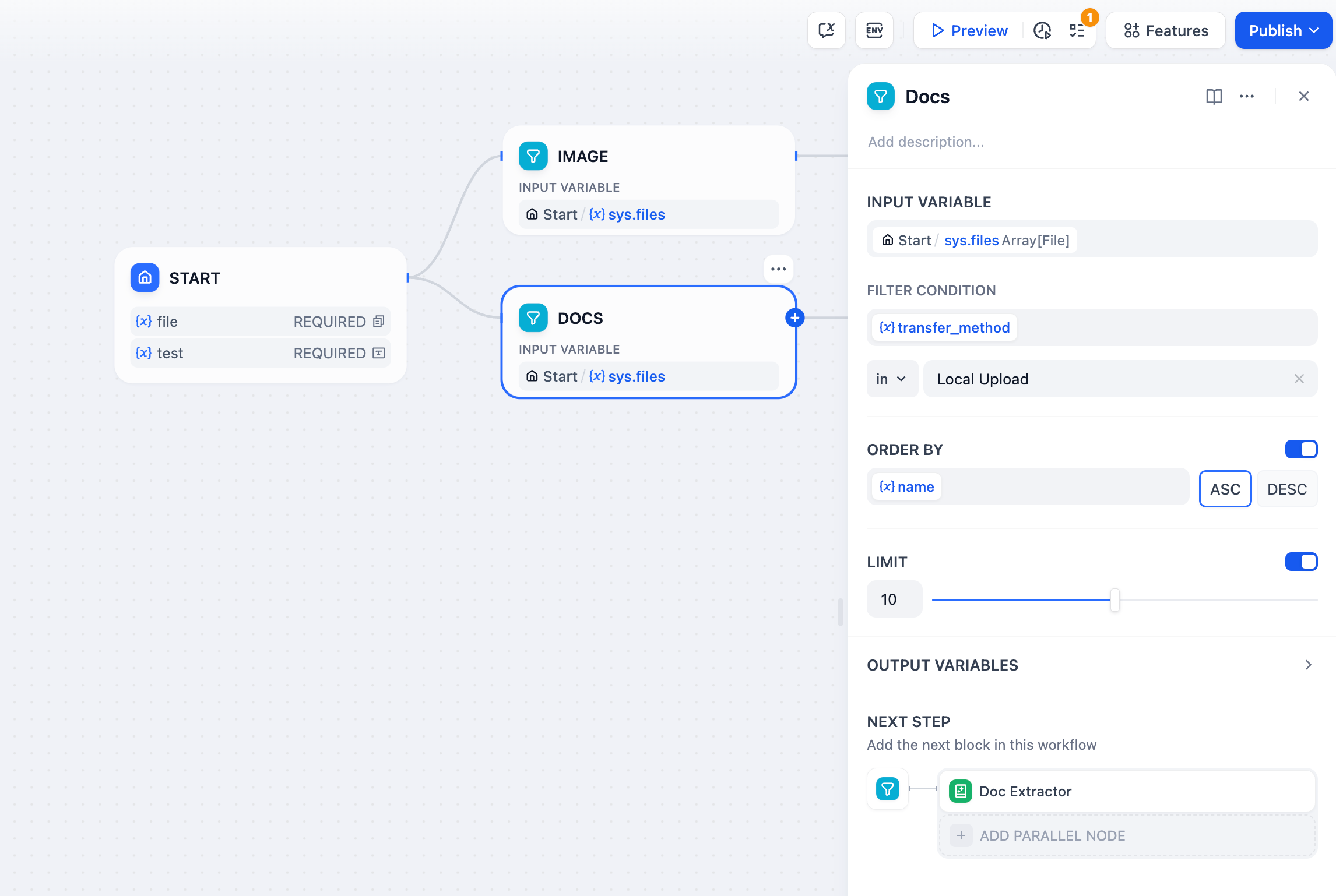
Operations#
Filtering#
Extract specific items based on their attributes. For file arrays, filter by:
Type - Filter by content category: image, document, audio, video
MIME Type - Precise content type identification (image/jpeg, application/pdf, etc.)
Extension - File extensions (.pdf, .jpg, .mp3, .docx, etc.)
Size - File size constraints for processing limits
Name - Filename patterns or specific names
Transfer Method - Distinguish between local uploads and URL-based files
Sorting#
Organize filtered results by any attribute:
Ascending (ASC) - Smallest to largest values, A-Z alphabetical order
Descending (DESC) - Largest to smallest values, Z-A reverse order
Selection#
Choose specific elements from the processed array:
Take First N - Select the first 1-20 items after filtering and sorting
First Record - Return only the first matching element as a single value
Last Record - Return only the last matching element as a single value
Output Variables#
result - Complete filtered and sorted array for bulk processing
first_record - Single element from the beginning, perfect for “primary” or “latest” item selection
last_record - Single element from the end, useful for “most recent” or “final” selection
Mixed File Processing Example#
Handle workflows where users upload both documents and images:
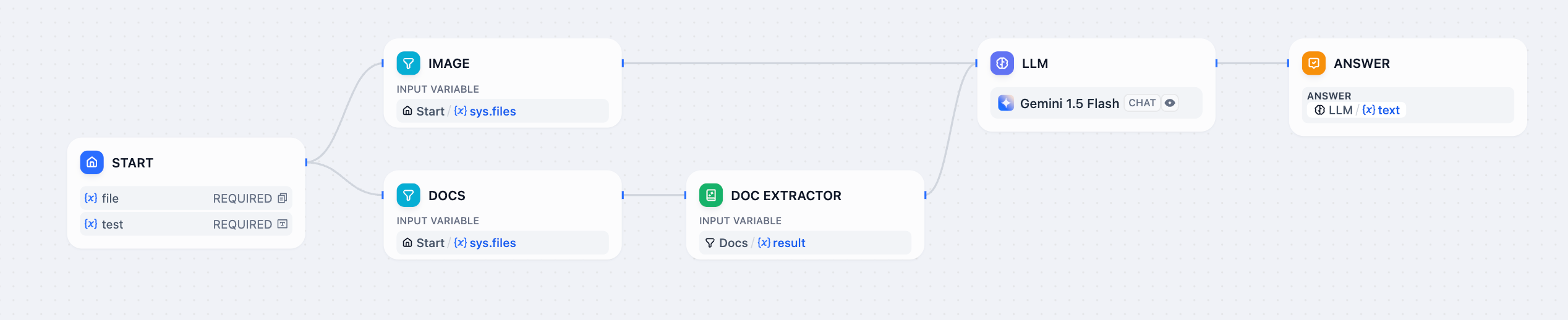
Implementation Steps:
- Configure Mixed Uploads - Enable file upload features to accept multiple file types
- Split by Type - Use separate List Operator nodes with different filters:
- Filter for
type = "image"→ route to LLM with vision capabilities - Filter for
type = "document"→ route to Document Extractor
- Filter for
- Process Appropriately - Images get analyzed directly, documents get text extraction
- Combine Results - Merge processed outputs into unified responses
This pattern automatically routes different file types to appropriate processors, creating seamless multi-modal user experiences.