

Introduction#
In Dify, you can use some crawler tools, such as Jina, which can convert web pages into markdown format that LLMs can read.
Recently, wordware.ai has brought to our attention that we can use crawlers to scrape social media for LLM analysis, creating more interesting applications.
However, knowing that X (formerly Twitter) stopped providing free API access on February 2, 2023, and has since upgraded its anti-crawling measures. Tools like Jina are unable to access X’s content directly.
Starting February 9, we will no longer support free access to the Twitter API, both v2 and v1.1. A paid basic tier will be available instead 🧵
— Developers (@XDevelopers) February 2, 2023
Fortunately, Dify also has an HTTP tool, which allows us to call external crawling tools by sending HTTP requests. Let’s get started!
Prerequisites#
Register Crawlbase#
Crawlbase is an all-in-one data crawling and scraping platform designed for businesses and developers. Crawlbase Scraper can pull data from social platforms like X, Facebook, and Instagram.
Register at crawlbase.com.
Sign in to Dify#
Open Dify in your browser and sign in. You’ll need access to a running Dify instance to follow along.
Configure LLM Providers#
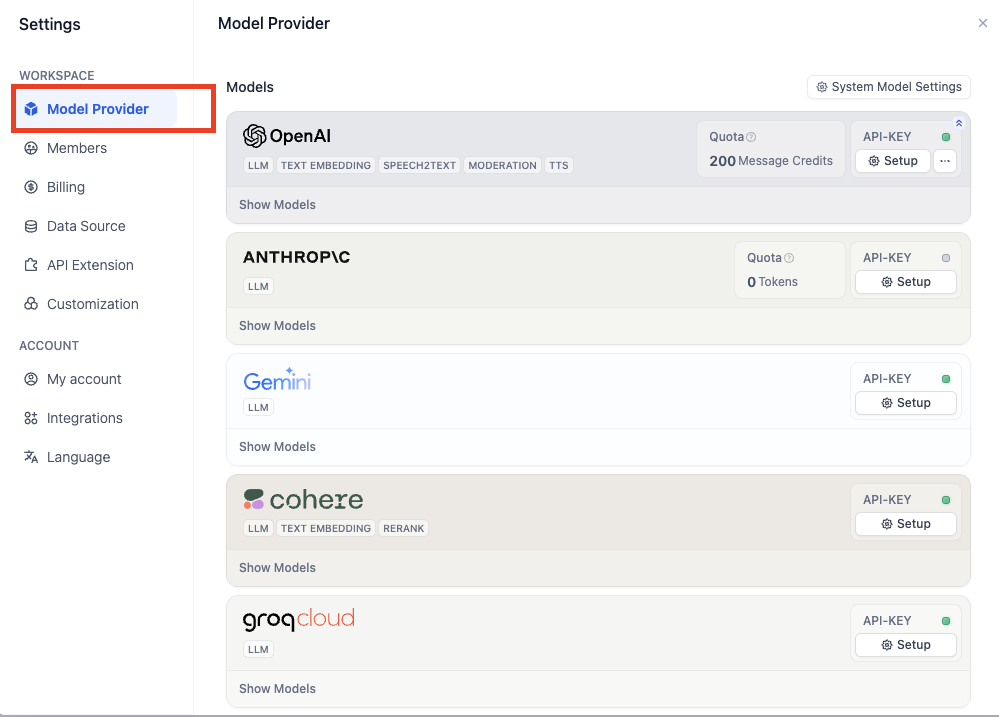
Go to Integrations > Model Provider, install at least one model provider (for example, OpenAI), and configure its credentials.
Create a Chatflow#
Now, let’s get started on the Chatflow.
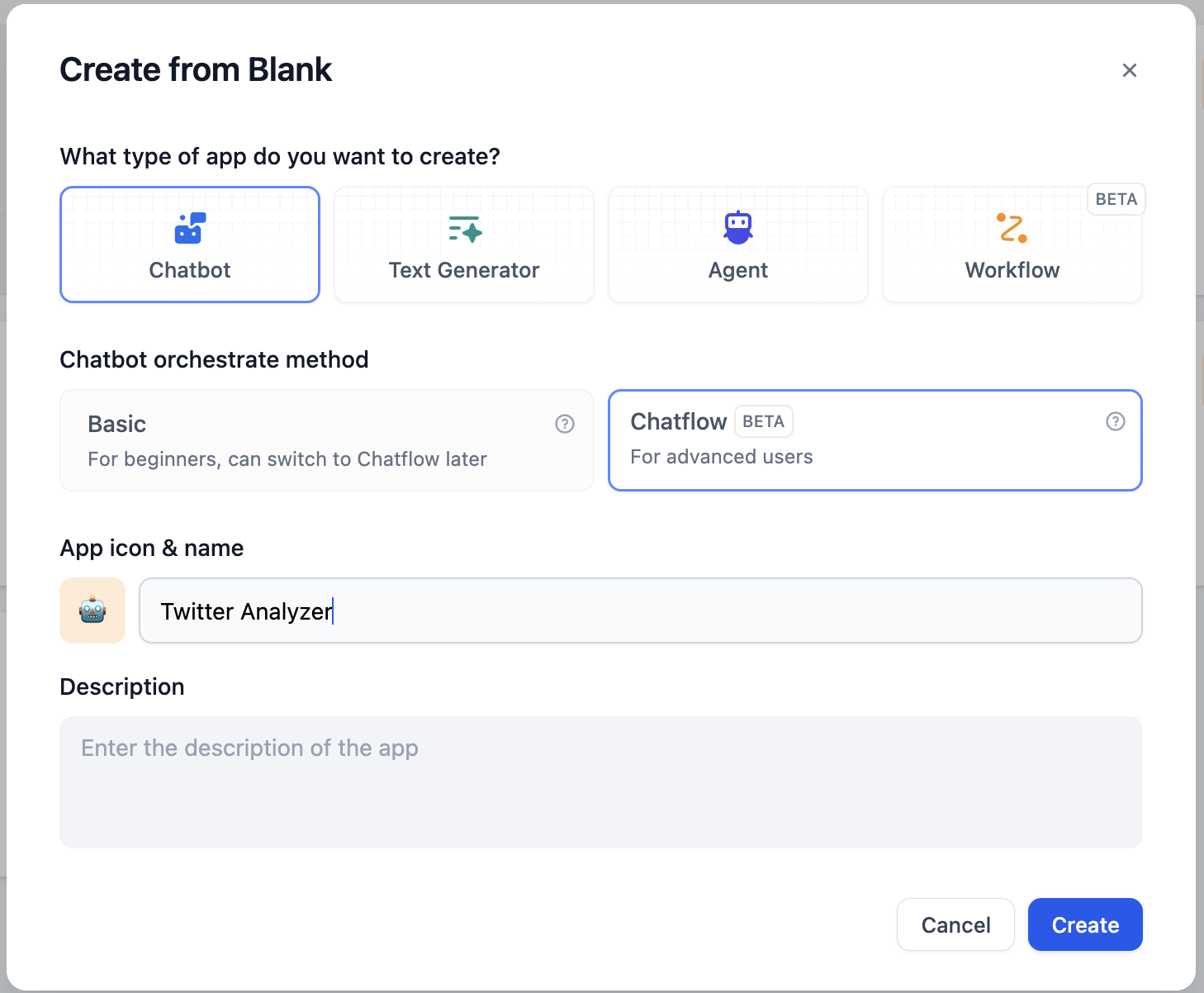
Click on Create from Blank to start:
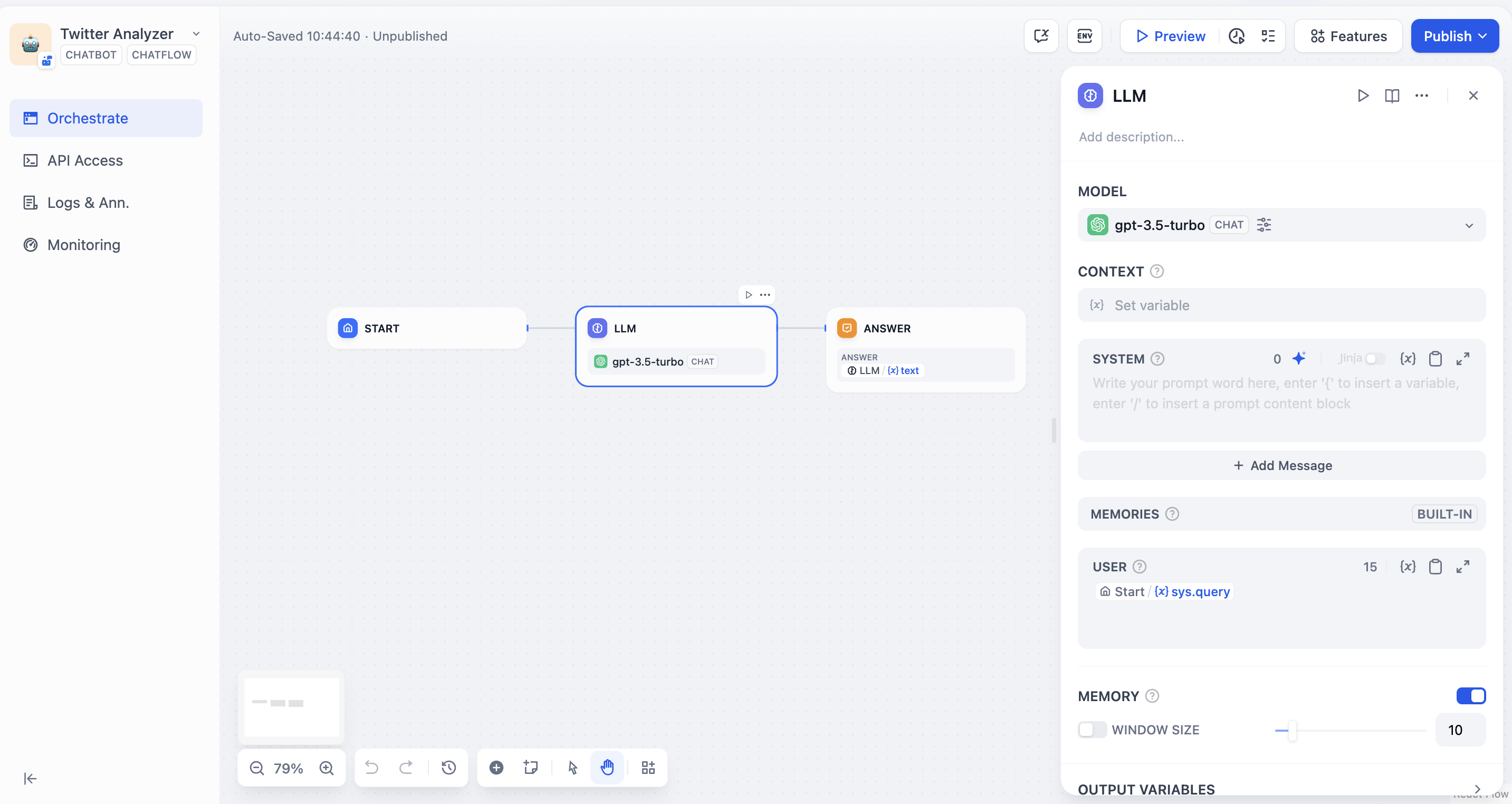
The initialized Chatflow should be like:
Add nodes to Chatflow#

Start node#
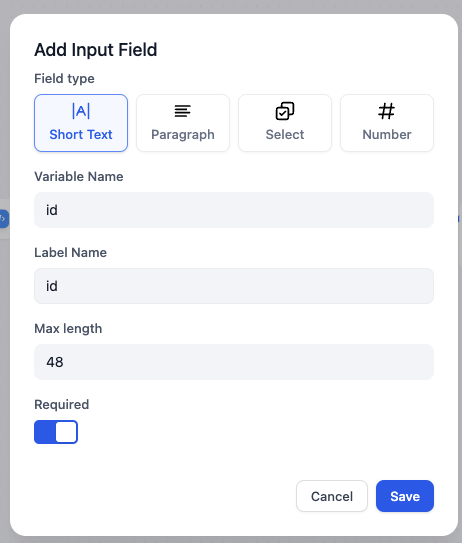
In start node, we can add some system variables at the beginning of a chat. In this article, we need a Twitter user’s ID as a string variable. Let’s name it id.
Click on Start node and add a new variable:
Code node#
According to Crawlbase docs, the variable url (this will be used in the following node) should be https://twitter.com/ + user id, such as https://twitter.com/elonmusk for Elon Musk.
To convert the user ID into a complete URL, we can use the following Python code to integrate the prefix https://twitter.com/ with the user ID:
Add a code node and select python, and set input and output variable names:

HTTP request node#
Based on the Crawlbase docs, to scrape a Twitter user’s profile in http format, we need to complete HTTP request node in the following format:
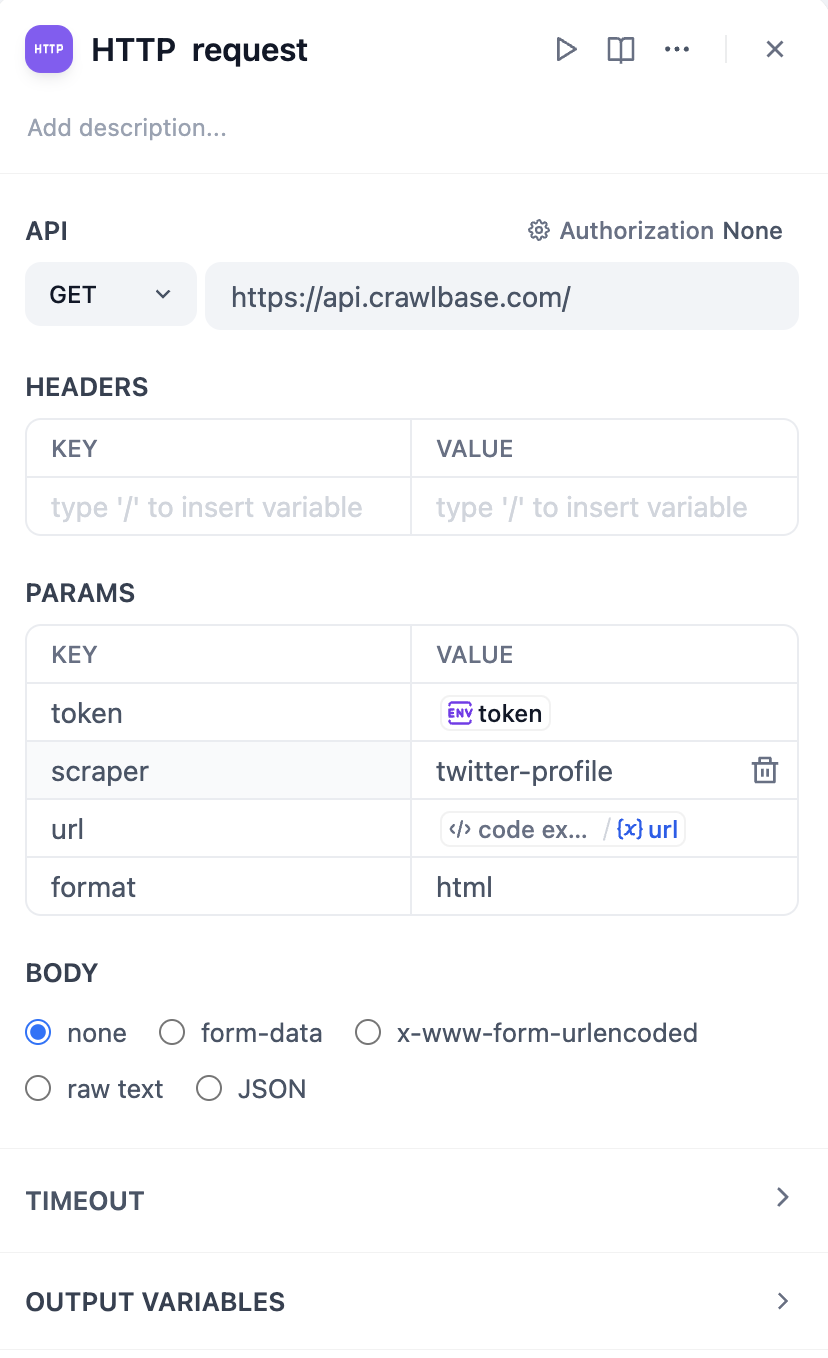
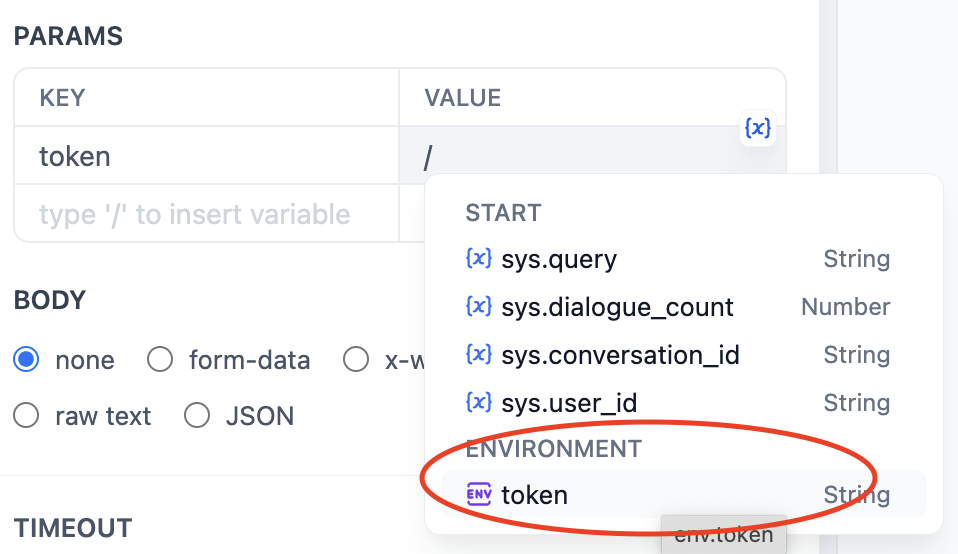
Importantly, it is best not to directly enter the token value as plain text for security reasons, as this is not a good practice. Actually, in the latest version of Dify, we can set token values in Environment Variables. Click env - Add Variable to set the token value, so plain text will not appear in the node.
Check https://crawlbase.com/dashboard/account/docs for your crawlbase API Key.

By typing /, you can easily insert the API Key as a variable.
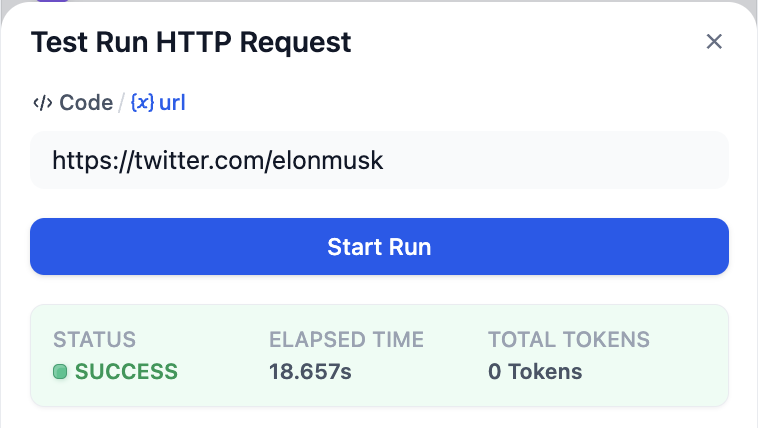
Tap the start button of this node to check whether it works correctly:
LLM node#
Now, we can use LLM to analyze the result scraped by crawlbase and execute our command.
The value context should be body from HTTP Request node.
The following is a sample system prompt.

Test run#
Click Preview to start a test run and input twitter user id in id.

For example, I want to analyze Elon Musk’s tweets and write a tweet about global warming in his tone.
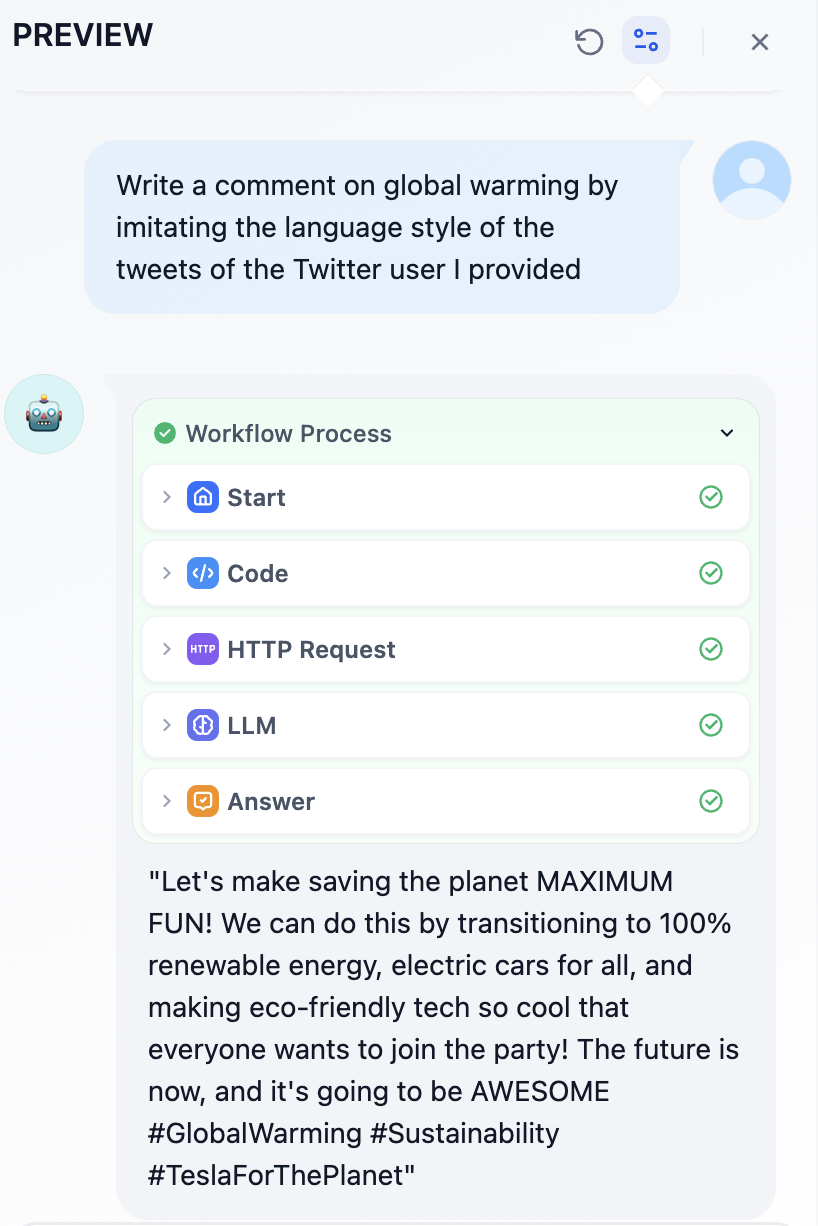
Does this sound like Elon? lol
Click Publish in the upper right corner and add it in your website.
Have fun!
Lastly…#
Other X(Twitter) Crawlers#
In this article, I’ve introduced crawlbase. It should be the cheapest Twitter crawler service available, but sometimes it cannot correctly scrape the content of user tweets.
The Twitter crawler service used by wordware.ai mentioned earlier is Tweet Scraper V2, but the subscription for the hosted platform apify is $49 per month.
Links#
- X@dify_ai
- Dify’s repo on GitHub: https://github.com/langgenius/dify