

👋 Welcome to Dify 101#
We are going to take you from Zero to Hero. By the end of this course, you will build your very own Advanced AI Email Assistant.
Let’s leave coding behind for a second and talk about cooking.
Imagine you want to cook a dish that you haven’t made before. To make that happen, you need a Recipe. A recipe is just like a workflow! It tells you exactly what to do, in what order, to get the dish you want.
Meet Workflow#
In Dify, you are the head chef who writes a Recipe for the AI to follow. Here’re the things you need to prepare beforehand:
- Input (Ingredients): The information you give the AI. This could be a user’s question, a PDF document, or a messy email draft.
- Process (Instructions): The steps you force the AI to take. For example: First, summarize this text. Next, translate it into Spanish. Finally, format it as a LinkedIn post.
- Output (The Dish): The final result the AI hands back to you.
To sum up, a workflow is a flowchart that asks AI to complete tasks in a specific order.
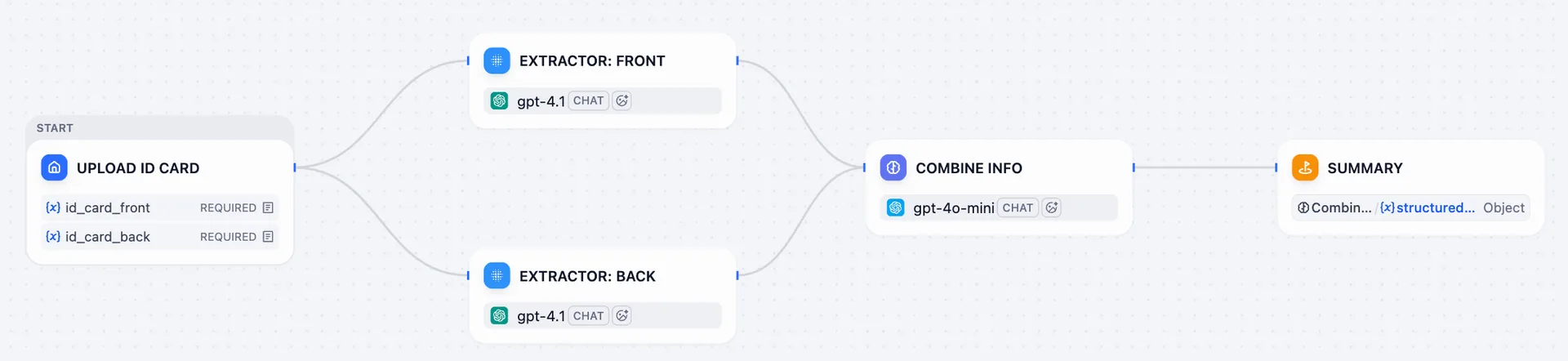
This is a Smart ID Scanner workflow. Its job is to extract the information on front and back of an ID card, then send these texts back to you.
Node#
Let’s have a closer look of the workflow above. That whole process is simply made up of a few connected steps: Uploading the image, Extracting the information, and Combining the results.
Each of these steps is called a Node.
Think of them like runners in a relay race: each node has a specific task. Once it finishes its turn, it passes the baton to the next node in line.
Dify offers you a box of ready-to-use nodes, such as the LLM, Knowledge Retrieval, If/Else, Tools, etc.
You can connect these nodes just by dragging and dropping—it’s like building with the Lego blocks! You can easily snap them together to create a powerful automated workflow.
It’s Your Turn#
-
Go Dify and click Get Started in the upper right corner.
-
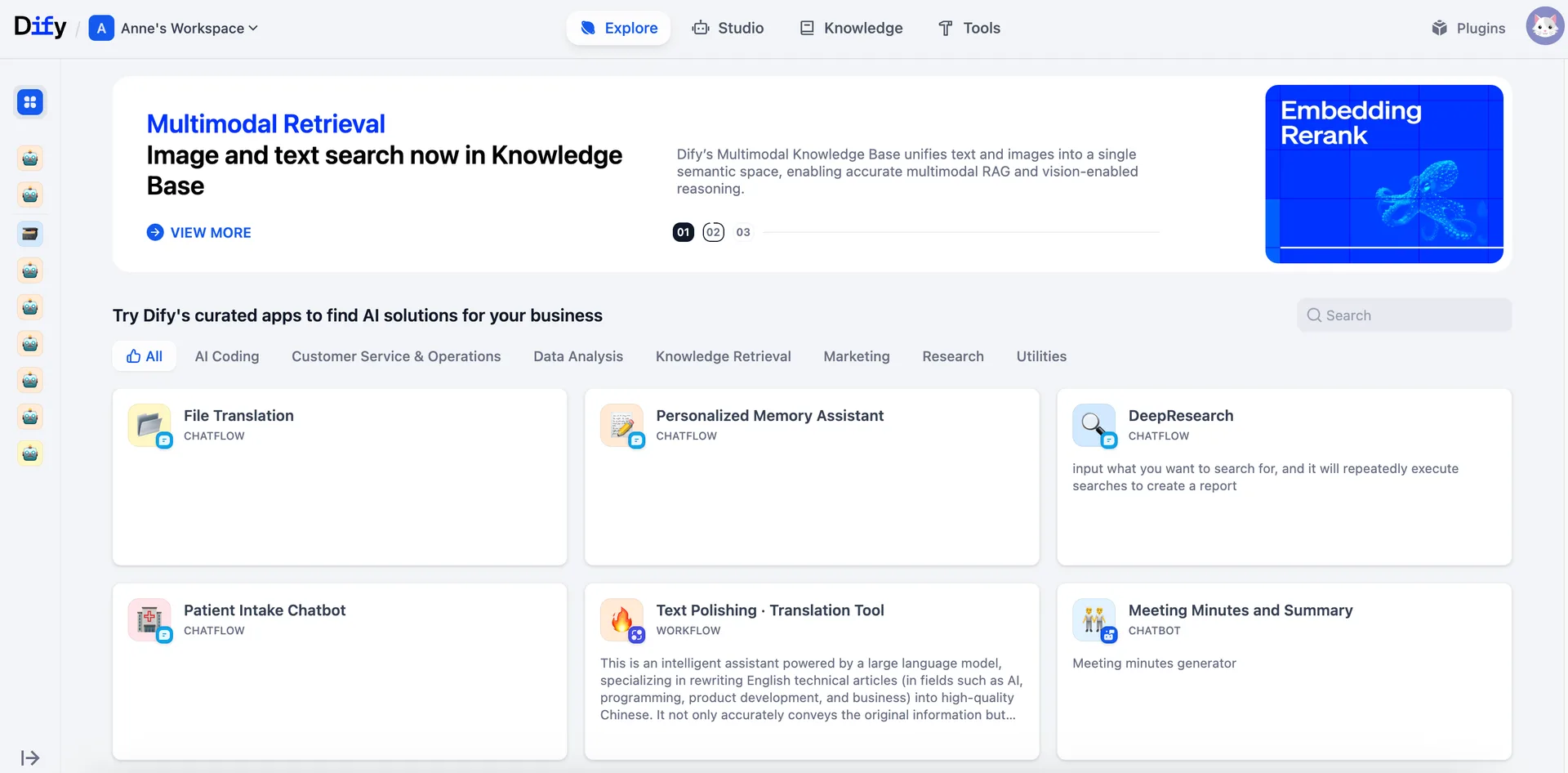
Click on Explore. This is a library which collects different workflow of different scenarios.
-
Pick a template that looks like a right fit for you. Don’t worry if you don’t understand every setting yet—just look at how the nodes are connected.